Chat Colors
Learn how to use and print colored messages to the built-in chat
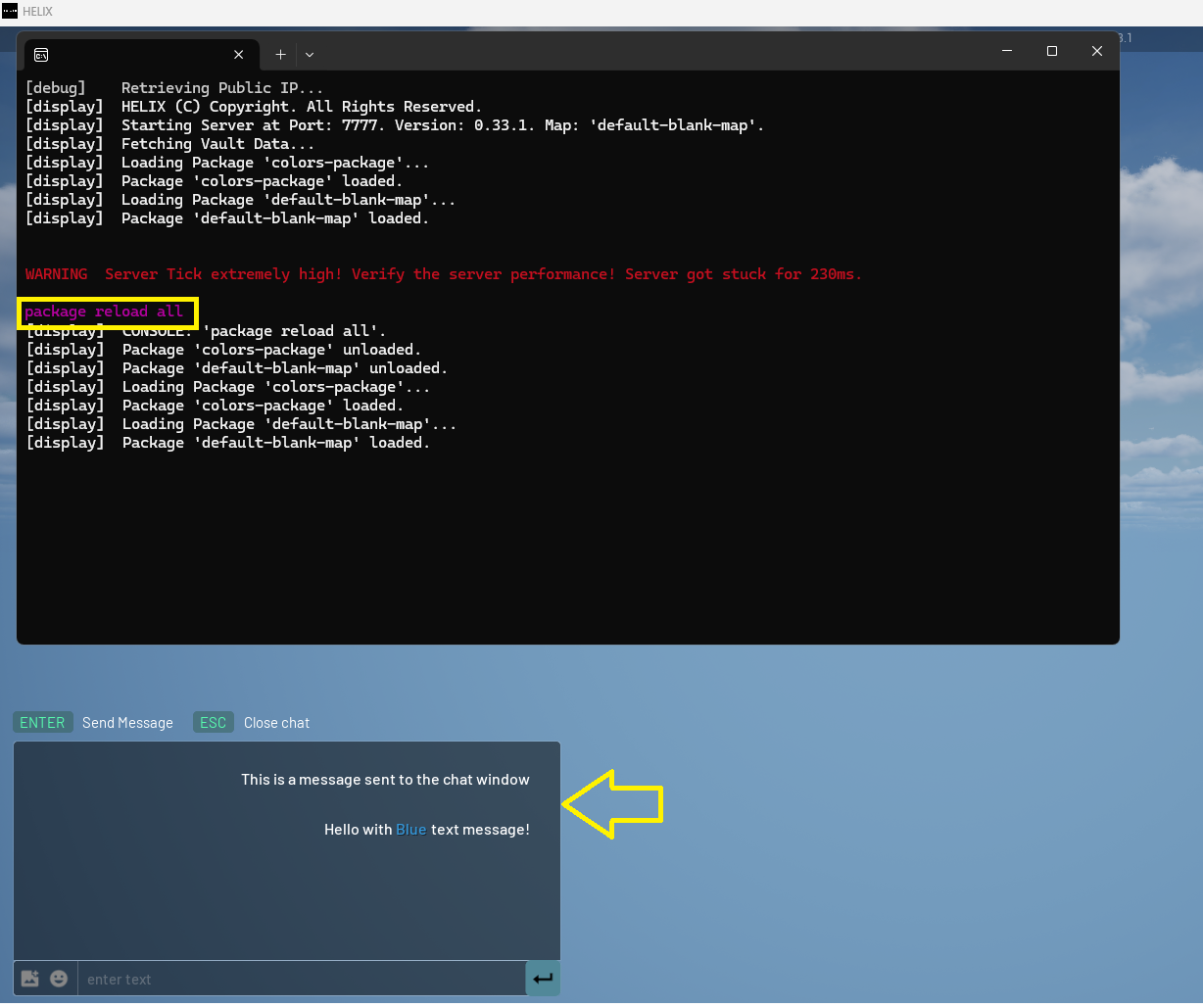
To stylize a text, just circumvent a piece of text with a style tag: <TAG>my awesome text</>.
info
This code example is sent when loading the world. You can use it but to see it, open the chat window in game by pressing the
tletter and writtingpackage reload allin the server window.
Example
Add the following code to Server/Index.lua file inside the package.
Server/Index.lua
Chat.BroadcastChatMessage("Hello with Normal text message!")
Chat.BroadcastChatMessage("Hello with <cyan>Cyan</> text message!")
Chat.BroadcastChatMessage("Hello with <green>Green</> text message!")
Chat.BroadcastChatMessage("Hello with <blue>Blue</> text message!")
Chat.BroadcastChatMessage("Hello with <marengo>Marengo</> text message!")
Chat.BroadcastChatMessage("Hello with <yellow>Yellow</> text message!")
Chat.BroadcastChatMessage("Hello with <orange>Orange</> text message!")
Chat.BroadcastChatMessage("Hello with <red>Red</> text message!")
Chat.BroadcastChatMessage("Hello with <grey>Grey</> text message!")
Chat.BroadcastChatMessage("Hello with <bold>Bold</> text message!")
Chat.BroadcastChatMessage("Hello with <italic>Italic</> text message!")
caution
It is NOT possible to combine two or more styles together (eg.: Bold + Red).
All supported text styles/tags
<cyan><green><blue><purple><marengo><yellow><orange><red><grey><bold><italic>